
View and download EDI specs Last updated: 2026-10-08
The EDI Spec Library has a free, machine-readable spec for every transaction in X12, HIPAA, EDIFACT, EANCOM, HL7, NCPDP, IATA and VDA. Each spec page shows the structure of the transaction, and lets you download the spec in three formats:
- OpenEDI JSON, an OpenAPI 3 schema with EDI extensions, for ediFabric Native, ediFabric Cloud and the EDI Spec Builder.
- ediFabric .NET, the C# template for the transaction.
- ediFabric Native, the model ediFabric Native loads to parse and generate EDI.
Use the specs with ediFabric and EdiNation: share a spec, unchanged, with your team and trading partners to agree an EDI exchange, generate classes from it for use with ediFabric Native or Cloud, or use it as the starting point for a custom spec in the Spec Builder. The specs are copyright EDI Fabric Limited. Copying, converting or extracting them into another product, library or format isn't allowed. See section 3.6 of the license agreement.
Find a spec
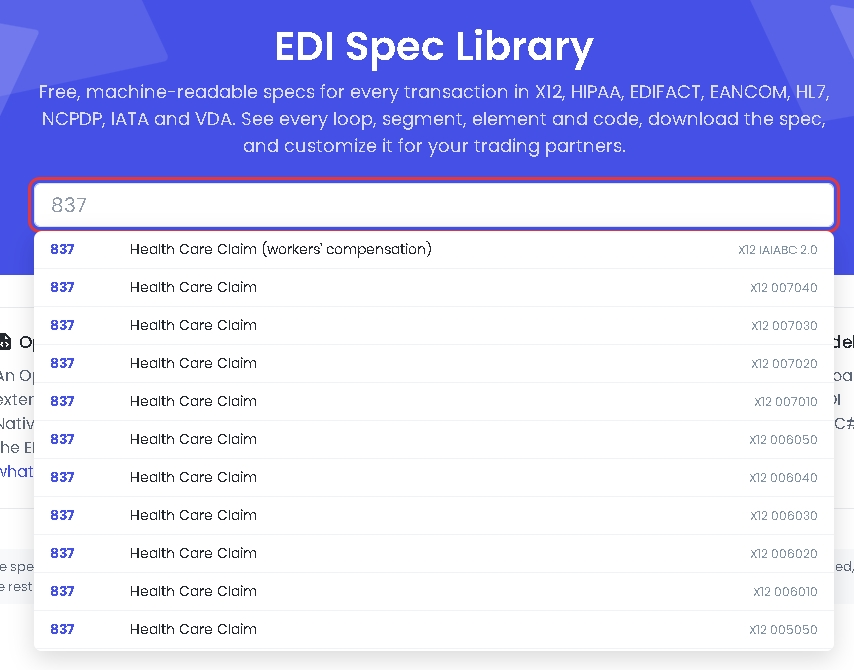
Open the EDI Spec Library and type a transaction ID or name in the search box, such as 837 or purchase order. The results list every standard and version that has the transaction:
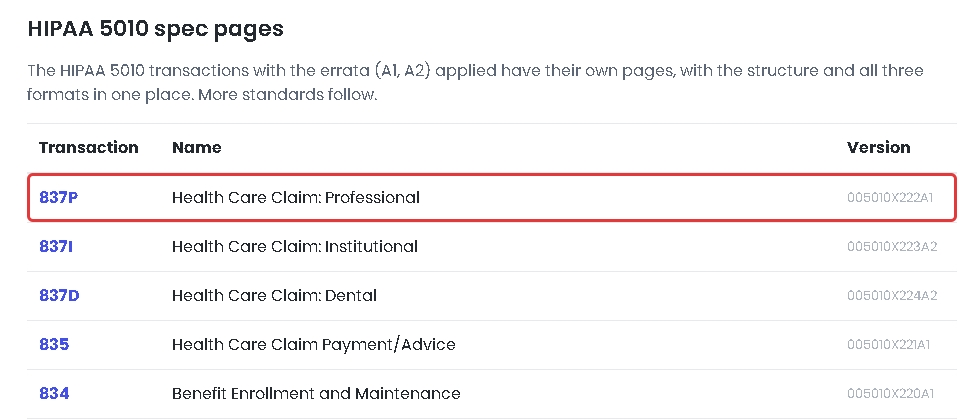
You can also browse. The HIPAA 5010 transactions are listed on the library page, and Browse by standard lists every standard and version. Select a version to see all its transactions, then select a transaction to open its spec page:
Explore the structure
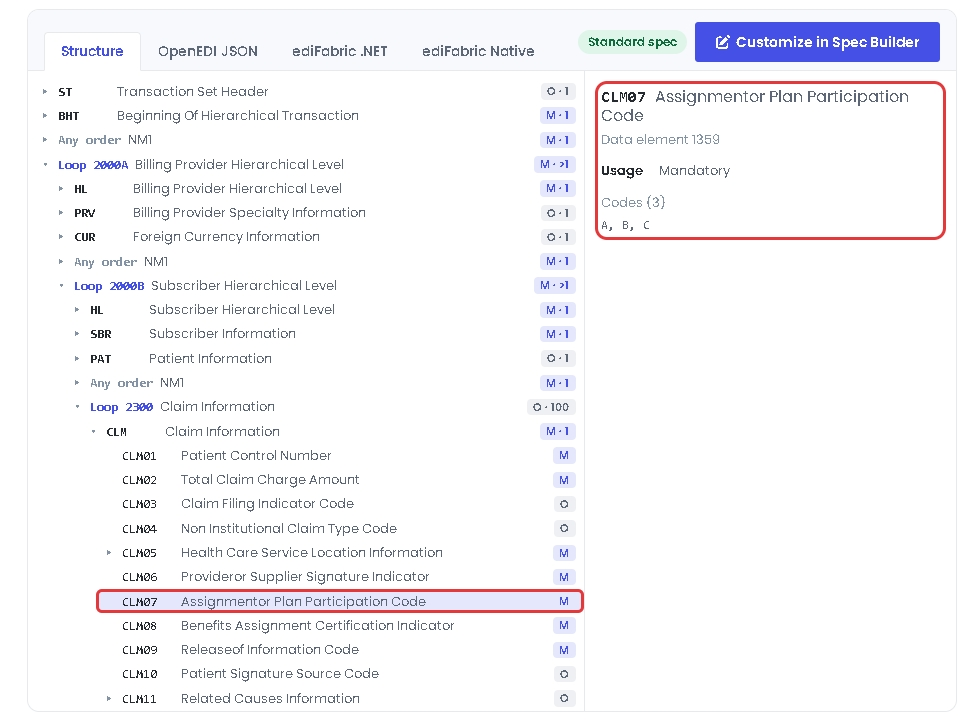
The Structure tab shows the loops, segments, composites and data elements of the transaction, with their usage and maximum repeats. Select the arrow next to an item to expand it, and select the item to see its spec on the right, such as its data element number, usage and codes:
Download the spec
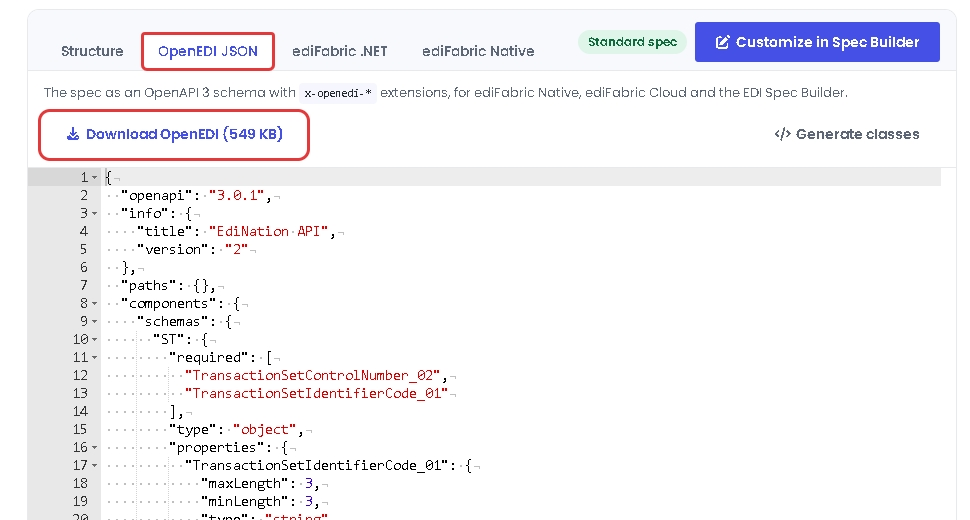
Each format has its own tab, with a download button:
- OpenEDI JSON shows the spec in OpenEDI format. Select Download OpenEDI to save it. Generate classes shows how to generate classes from it in Python, Node.js, Java, Go, Rust or C.
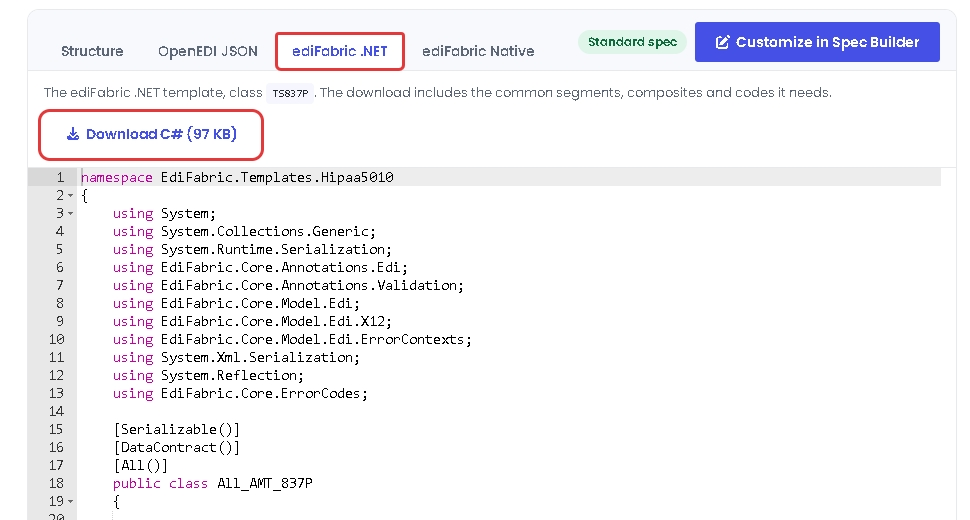
- ediFabric .NET shows the C# template. Select Download C# to save it, with the common segments, composites and codes it needs.
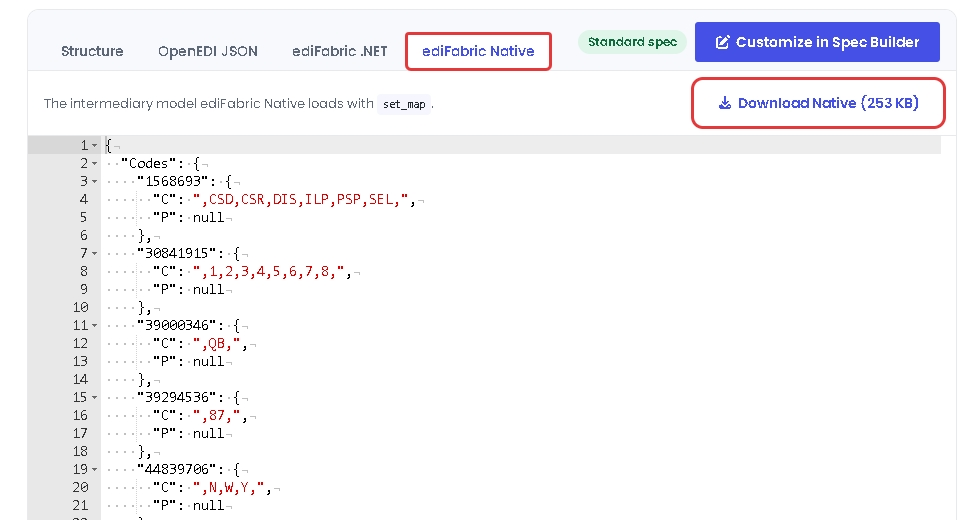
- ediFabric Native shows the model for ediFabric Native. Select Download Native to save it.
To learn how to use the models in your code, read EDI models.
Customize the spec
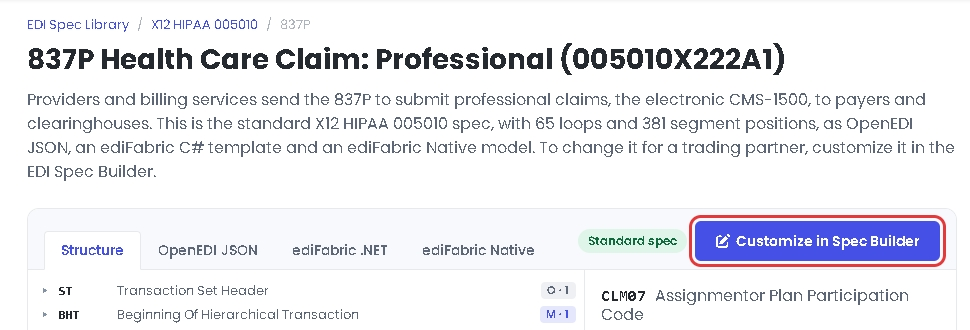
The standard specs can't be changed. To change a spec for a trading partner, select Customize in Spec Builder. This copies the spec to the EDI Spec Builder under a name you choose:
To learn more, read Create and import EDI specs.
Next steps
To learn more about how to translate and validate EDI files with EdiNation, try these tutorials: